Caelus, knowledge hub
Write it down, together.
Caelus is where documentation, runbooks and decisions live. Edit together in real time, keep every page as Markdown, and see exactly what changed.
Early development.
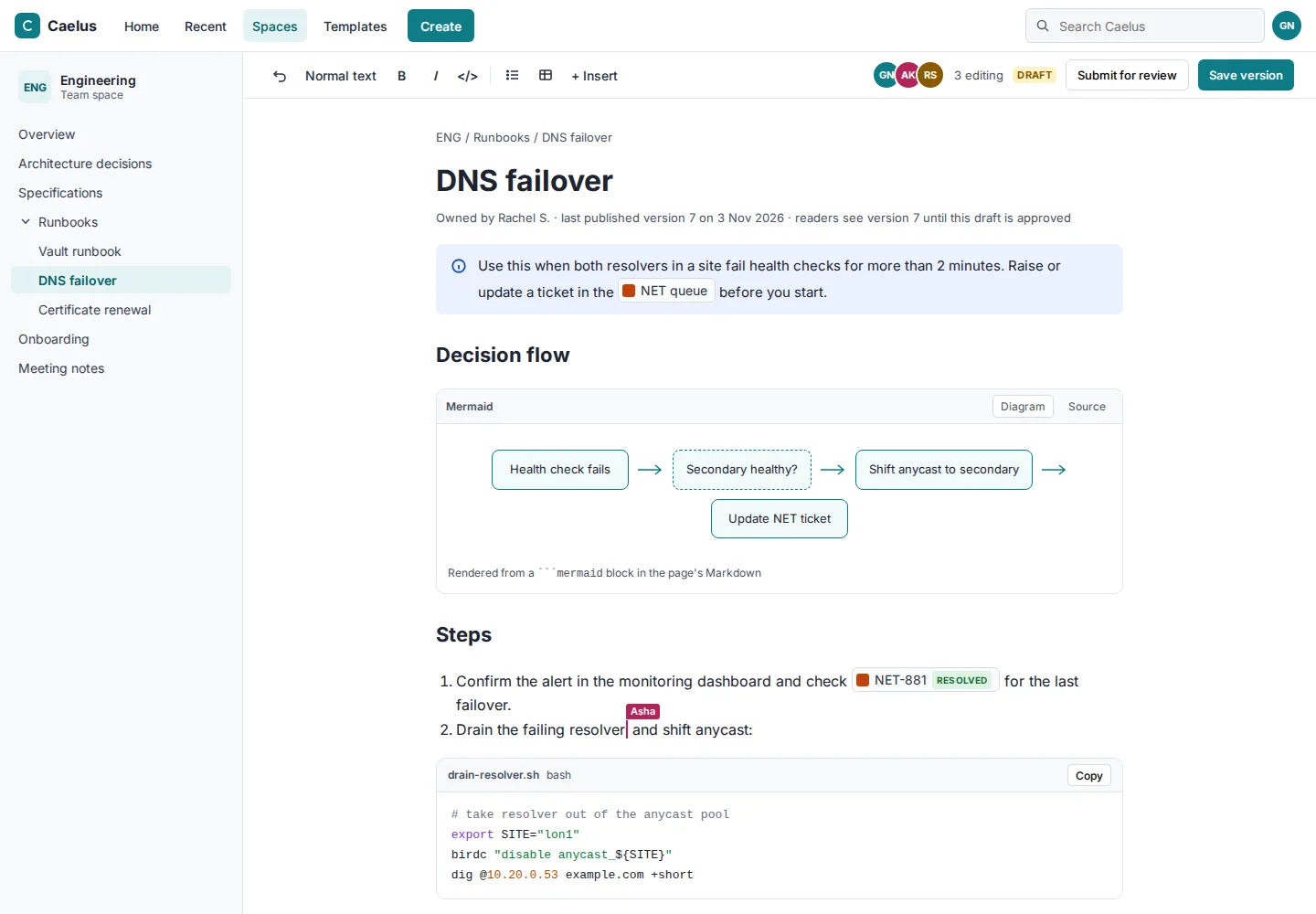
Collaborative editing, stored as Markdown
A WYSIWYG editor that several people can use at once. Underneath, every page is plain Markdown, so your content stays readable and portable.
- Spaces and page trees
- Real-time collaborative WYSIWYG editing
- Paste Markdown and it renders
- Code blocks
- Attachments with inline previews
History you can read
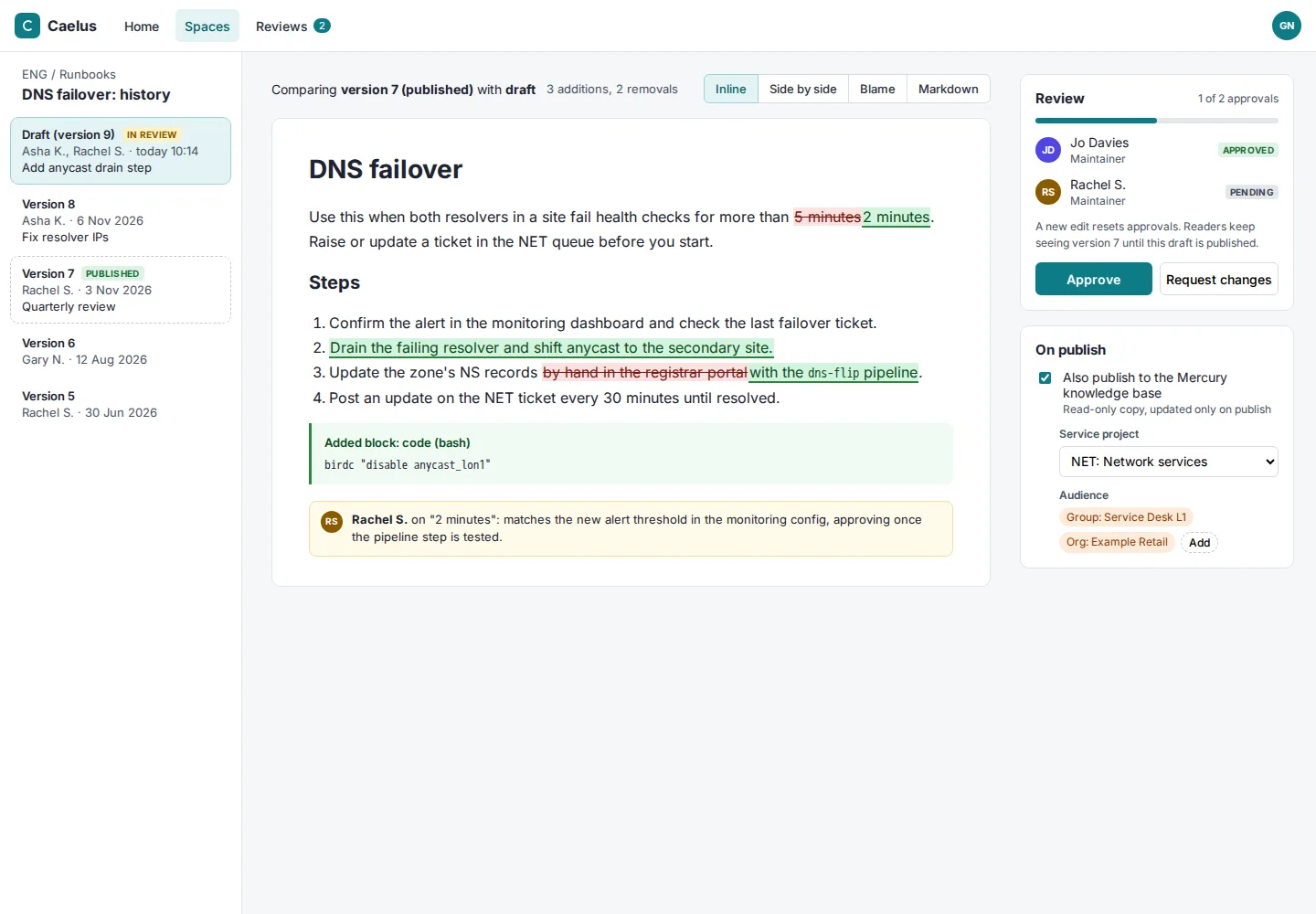
Compare any two versions with the changes shown inline, word by word. Where a page needs a second pair of eyes, turn on review and approval before it publishes.
- Page history with inline word-level diffs
- Optional review and approval before publishing
Diagrams and live data
Draw it, or describe it, and keep it next to the text.
- Mermaid and Draw.io diagrams
- Macros that embed live Minerva roadmaps
- Macros that embed Mercury ticket lists
- Publish articles to the Mercury knowledge base so requesters can find answers themselves
Works with the rest of Castra
Link to a Minerva issue or Mercury ticket and see a live preview in the page.
Space access follows your directory groups, set by project admins.
Activity is recorded in the shared audit log.
Part of Castra
Caelus shares sign-in, access rules, audit and smart links with the other two tools. Use one, or all three.